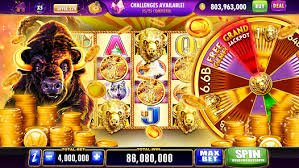
The ug777 Download page is your starting point for getting the mobile app set up on your Android or iOS device anywhere in the Philippines. Once installed, you get full access to casino games, live casino tables, bingo sessions, and active promotions — all from your phone without opening a browser every time. This page walks you through what to expect from the app, how to install it, and what to do if you run into any questions along the way.
The ug777 Download page is where Filipino players can get the official mobile app for their Android or iOS device, giving them a faster and more convenient way to access the platform compared to using a mobile browser every session. The app brings together all sections of ug777 — casino games, live casino tables, bingo rounds, and current promotions — into a single, optimised mobile experience designed for players across the Philippines. Installing the app means you can log in with one tap, check your account balance, claim promotions, and jump straight into your preferred game without any extra steps. If you are new to ug777, you can create a free account from the Register page before or after installing the app — your account works across all devices. For any questions about the installation process or app features, the FAQ page has detailed answers ready for you.
Create Free AccountFrom one-tap login to full game access, here is what Filipino players can expect after downloading the ug777 app.
Filipino players using Android devices can download the ug777 APK file directly from this page and install it in a few straightforward steps. Because the APK is installed outside the Google Play Store, you will need to allow installation from unknown sources in your device settings — a standard one-time step for sideloaded apps in the Philippines. The APK is the official ug777 file, so you can install it with confidence knowing it comes directly from the platform. Once installed, the app icon appears on your home screen and you can log in or register immediately without opening a browser.
iPhone and iPad users in the Philippines can access ug777 through the mobile-optimised browser version, which loads cleanly on Safari and other iOS browsers without requiring a separate app download. The browser experience on iOS is designed to feel close to a native app — fast loading, touch-friendly navigation, and full access to all game sections and account features. You can also add the ug777 site to your iPhone home screen using Safari's "Add to Home Screen" option, which creates a shortcut that opens the platform in full-screen mode just like an app. Check the FAQ page for step-by-step instructions on setting this up on your iOS device.
The ug777 app gives you complete access to every section of the platform from your mobile device, including the Casino section with slots and table games, the Live Casino with real-time dealer streams, and Bingo sessions running throughout the day. All games are optimised for smaller screens so they load quickly and play smoothly even on mid-range Android phones commonly used across the Philippines. Your account balance, transaction history, and active promotions are all visible from the app's main dashboard, so you never need to switch to a desktop browser to manage your account.
All financial transactions on the ug777 app are handled in Philippine pesos (PHP), so Filipino players never need to deal with currency conversion or unexpected exchange fees. Deposits and withdrawals are processed through payment channels that are familiar and accessible to players across the Philippines, including popular local options. The app's payment section is just as fully featured as the desktop version, meaning you can top up your account and request withdrawals directly from your phone at any time. If you have questions about specific payment methods or processing times, the FAQ page covers the most common payment queries from Filipino members.
Three steps to get the ug777 app running on your Android device in the Philippines.
On your Android device, go to Settings, then Security or Privacy, and toggle on "Install unknown apps" or "Allow from this source" for your browser. This is a standard one-time setting required for any APK installed outside the Google Play Store and is safe to enable for the official ug777 download. iPhone users can skip this step entirely and access ug777 directly through Safari or by adding the site to their home screen.
Tap the download button on this page to save the official ug777 APK file to your Android device. The file is small and downloads quickly even on a standard mobile data connection used by most Filipino players. Once the download is complete, your browser or file manager will prompt you to open or install the file — tap Install to proceed. The installation takes only a few seconds and does not require a restart of your device.
Once the app is installed, open it from your home screen and log in with your existing ug777 account credentials. If you are new to the platform, tap Register inside the app or visit the Register page to create your free account in under two minutes. After logging in, you have immediate access to all game sections, your account balance, active promotions, and the full ug777 experience — all from your phone.
A quick reference for Filipino players checking what the ug777 mobile app supports.
| Feature | Details |
|---|---|
| Android | APK download, Android 6.0 and above |
| iOS | Mobile browser + Add to Home Screen |
| Game Sections | Casino, Live Casino, Bingo |
| Currency | Philippine pesos (PHP) |
| Account Required | Yes — free to register |
| Promotions | Accessible in-app from the Promotion tab |
The app gives you direct access to these sections — here is what Filipino players typically head to first.
The Live Casino section streams real dealers in HD directly to your phone, covering baccarat, blackjack, roulette, and more. The ug777 app handles live video streams smoothly on standard Philippine mobile data connections, so you get a consistent table experience without needing a Wi-Fi connection every time.
After installing the app, head to the Promotion section to see all currently active bonuses and reload deals available to your account. Promotions are updated regularly, so checking the tab before each session is a good habit for Filipino players who want to make the most of available offers.
If you run into any issues during the APK download or installation process, the FAQ section has step-by-step answers for the most common questions from Filipino players, including how to enable unknown sources, what to do if the install fails, and how to add ug777 to your iPhone home screen.
Answers to what Filipino players most often search for before downloading the ug777 app.
To download the ug777 app on Android, visit this Download page on your phone and tap the APK download button. Before installing, go to your device Settings and enable "Install unknown apps" or "Allow from this source" for your browser — this is a standard one-time step for APK files installed outside the Google Play Store. Once the APK file has downloaded, tap it to begin installation, which takes only a few seconds. After installation, the ug777 app icon will appear on your home screen and you can log in or register immediately. If you need help with any step, the FAQ page has detailed instructions for Filipino players.
iPhone users in the Philippines can access ug777 through the mobile-optimised browser version, which works smoothly on Safari and other iOS browsers without needing a separate app download. The browser experience is designed to be fast and touch-friendly, giving you full access to casino games, live casino, bingo, and your account features. You can also add ug777 to your iPhone home screen via Safari's Share menu and the "Add to Home Screen" option, which creates a shortcut that opens the platform in a full-screen view similar to a native app. For step-by-step instructions on setting this up, visit the FAQ page.
Yes, the ug777 APK available on this Download page is the official file from the platform and is safe to install on your Android device. Downloading the APK directly from the official ug777 Download page ensures you are getting the genuine app rather than a modified or unofficial version from a third-party source. The "unknown sources" setting you enable during installation is a standard Android security prompt for any app installed outside the Play Store and does not indicate any risk with the file itself. If you have any concerns about the installation process or want to verify you are on the correct page, the FAQ section has additional guidance for Filipino players.
Yes, you need a ug777 account to access games, promotions, and account features through the app. Registration is free and takes under two minutes — you can sign up directly inside the app after installing it, or visit the Register page on your browser before downloading. If you already have a ug777 account, simply log in with your existing credentials after installation and all your account details, balance, and history will be available immediately. One account works across all devices, so you can switch between the app and a desktop browser without any issues.
The ug777 mobile app gives you access to all game sections available on the full platform, including the Casino section with slots and table games, the Live Casino with real-time dealer streams for baccarat, blackjack, and roulette, and Bingo sessions running throughout the day. All games are optimised for mobile screens and load quickly on standard Philippine mobile data connections. You can also view and claim active promotions from the app's Promotion tab, making it a complete gaming experience from your phone without needing to switch to a desktop browser.
Download the ug777 app today and get instant mobile access to casino games, live casino tables, bingo, and promotions — all in Philippine pesos and designed for players across the Philippines. Create a free account now to get started, or log in if you are already a member and install the app in minutes.